
Rerouter
Sends websites in Safari to another address, using your own rules. For iPhone, iPad, Mac and Apple Vision Pro.
One-time purchase · No subscription · Family Sharing
For example to your own server, a mirror or a development server. Rules match a domain or a regular expression, can sync through iCloud and can be switched off per device. Rerouter collects no data.
Read locally. Share the original.
Reading an article on your own server and want to send it to someone else? Open the Rerouter menu in Safari. Copy Original Link copies the original address; Share Original Link… opens your device’s share sheet. Share the public page instead of your local server’s address.
These buttons appear when Rerouter can determine the original address. Simple rules can also recover links for other pages under the same destination. For Regex rules, add an optional reverse pattern and original URL replacement. Copy and Share appear only when that mapping matches and its result redirects back to the current address. Removed information cannot be recovered automatically.
Reverse fields require Rerouter 1.0.1 or later.
Rerouter in action
Your own rules, your preferred view and a link you can pass on. All example websites shown here are fictional.
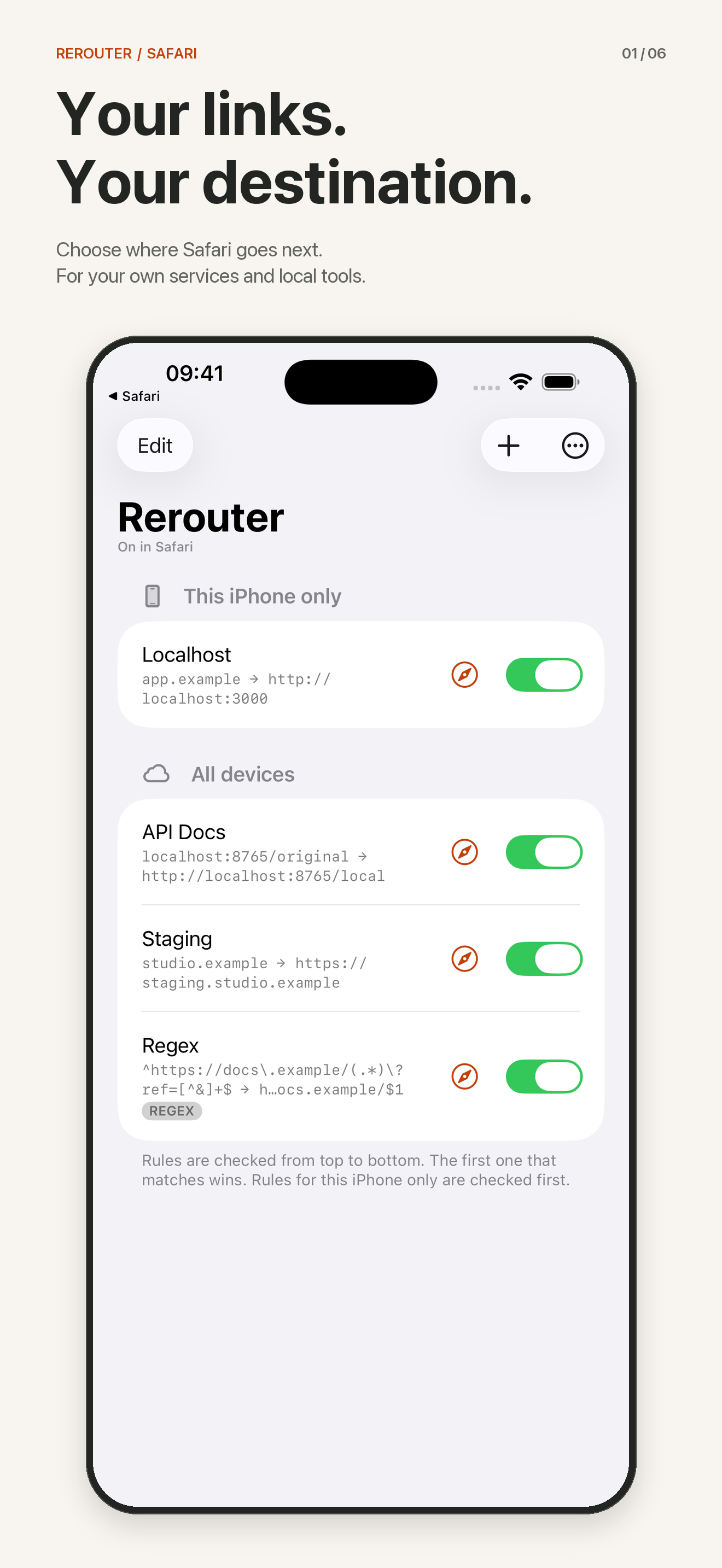
One address. Your destination.
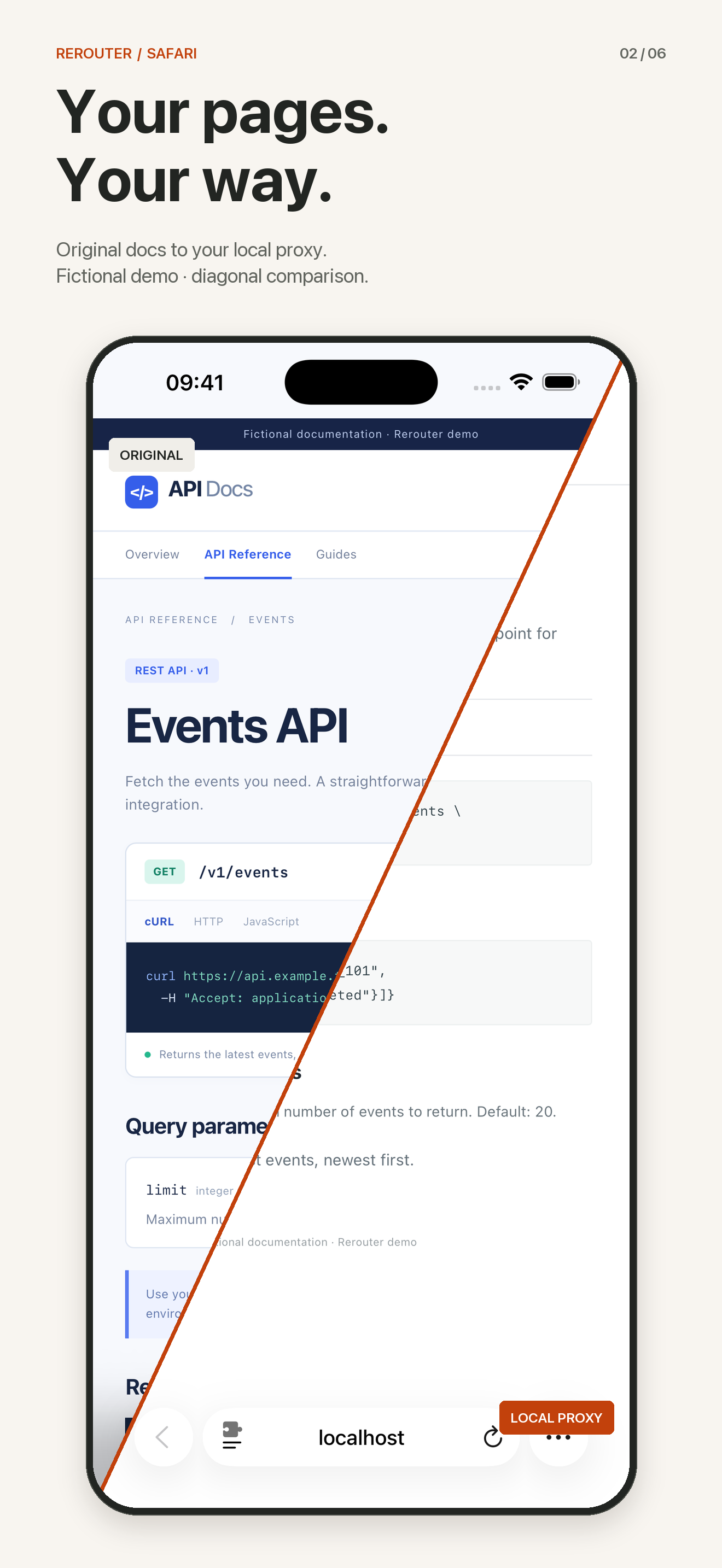
From the original to your local edition.
Turn on Rerouter in Safari
iPhone, iPad and Apple Vision Pro
Open Settings › Apps › Safari › Extensions › Rerouter.
- Turn on Allow Extension.
- Under Permissions, set All Websites to Allow.
Mac
Open Safari › Settings › Extensions.
- Select Rerouter and choose Turn On.
- Click Edit Websites… and set Other Websites to Allow.
Safari warns that Rerouter can read and change pages. Rerouter uses website access to apply your rules and determine original links. It does not read page content or send your browsing history to us.
Common questions
A rule doesn't redirect
Open Rerouter and look at the rule: a yellow warning means Safari hasn't allowed Rerouter on that website yet. In Safari, tap the Rerouter button in the address bar (Mac: toolbar) and choose Allow on All Websites. Also check that redirects aren't paused there.
A link opened another app instead
Links can open in another app instead of Safari. Those aren't redirected, because Safari never sees them. Long-press the link and open it in Safari.
Rules on my other devices
Rules saved to iCloud appear on all your devices signed in to the same Apple Account. You can switch a synced rule off on a single device, or keep a rule on one device only.
Rerouter is on but does nothing
In the Rerouter app, open the menu and choose Check Website Access in Safari. The page that opens shows what Safari allows and how to change it.
Create rules with AI
Tell your AI assistant which address should open where. Our guide helps it suggest the right Rerouter field values.
The guide is in English. Your AI can reply in your language.
Regex examples
In Regex mode a rule is a JavaScript regular expression, tested against the full address. In the replacement, $1, $2 insert its groups. The pattern is on the left, the replacement on the right. The same examples are in the app when you start a new rule from an example. Replace the example addresses with your own and check the rule with the test field. Rerouter redirects pages Safari opens, not requests a page makes in the background (fetch/XHR).
- Old path to new path: Opens example.com/old/… on example.com/new/….
^https://example\.com/old/(.*)$→https://example.com/new/$1
Example:https://example.com/old/page→https://example.com/new/page - API version upgrade: Opens /v1/ addresses on /v2/ and keeps the rest of the address.
^https://api\.example\.com/v1/(.*)$→https://api.example.com/v2/$1
Example:https://api.example.com/v1/users?page=2→https://api.example.com/v2/users?page=2 - Subdomain to local path: Opens name.example.com/page on localhost:3000/name/page. Matches every subdomain; narrow it to the ones you need.
^https://([a-z0-9-]+)\.example\.com/(.*)$→http://localhost:3000/$1/$2
Example:https://shop.example.com/cart→http://localhost:3000/shop/cart - Path to subdomain: Moves pages under example.com/docs/ to docs.example.com.
^https://example\.com/docs/(.*)$→https://docs.example.com/$1
Example:https://example.com/docs/install#step-2→https://docs.example.com/install#step-2 - Mobile to desktop site: Opens m.example.com pages on example.com.
^https://m\.example\.com/(.*)$→https://example.com/$1
Example:https://m.example.com/news/today→https://example.com/news/today - Add a debug parameter: Adds ?debug=1 to pages under /app/ that have no query parameters yet.
^https://example\.com/app/([^?#]*)$→https://example.com/app/$1?debug=1
Example:https://example.com/app/settings→https://example.com/app/settings?debug=1 - Remove query parameters: Drops the ? part and everything after it on pages under /blog/.
^https://example\.com/blog/([^?#]*)\?.*$→https://example.com/blog/$1
Example:https://example.com/blog/release-notes?ref=newsletter&id=42→https://example.com/blog/release-notes - Full address to a local tool: Opens the page through your own tool on localhost:8080, which gets the full address in its path, for example a debugging proxy during development.
^(https://example\.com/.*)$→http://localhost:8080/$1
Example:https://example.com/api/items?id=7→http://localhost:8080/https://example.com/api/items?id=7
Contact
Questions, problems or ideas: info@winkler.software. Please mention your device and system version.